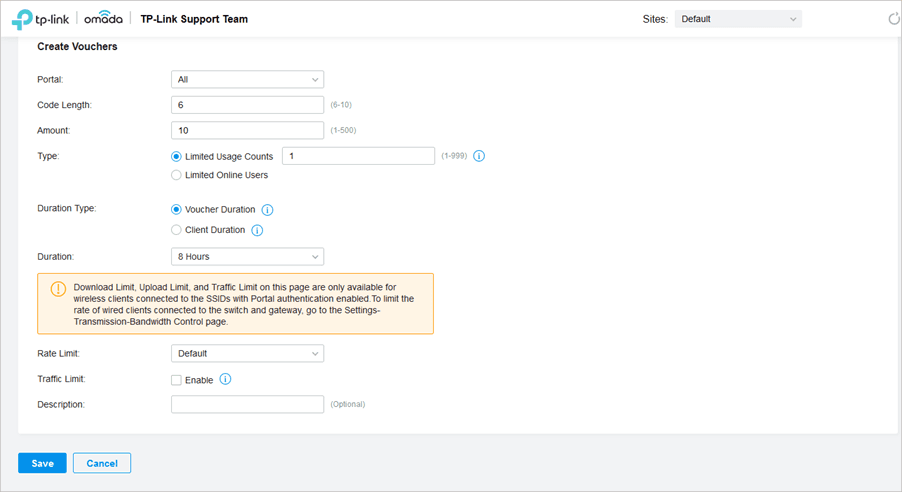
Step 1
Create vouchers in Omada
Create one voucher batch per plan. If your PaySpot plan is 1 day, the Omada voucher batch should also be 1 day.
Architecture Guide
Use CSV import when Omada generates the real voucher codes and PaySpot sells those codes online. The important rule is simple: create vouchers in Omada first, export them, then import the same vouchers into the matching PaySpot plan.
Step 1
Create one voucher batch per plan. If your PaySpot plan is 1 day, the Omada voucher batch should also be 1 day.
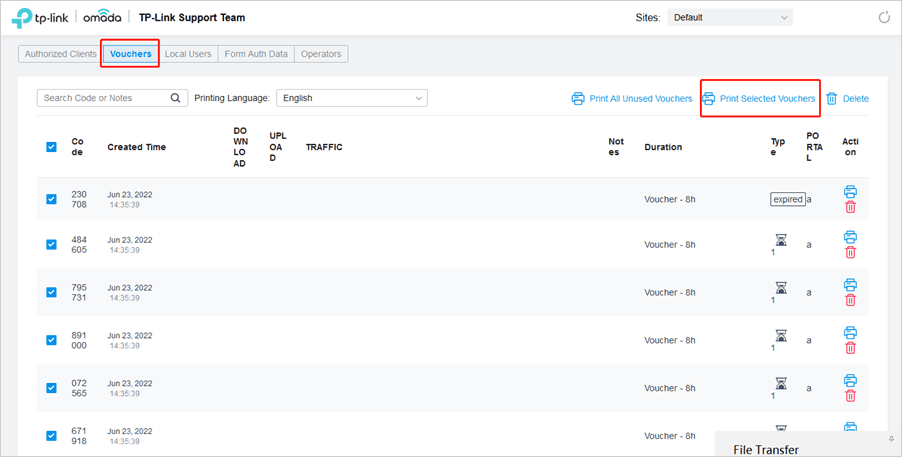
Step 2
Omada shows the generated vouchers in Voucher Manager. This is where you can review or print selected vouchers.
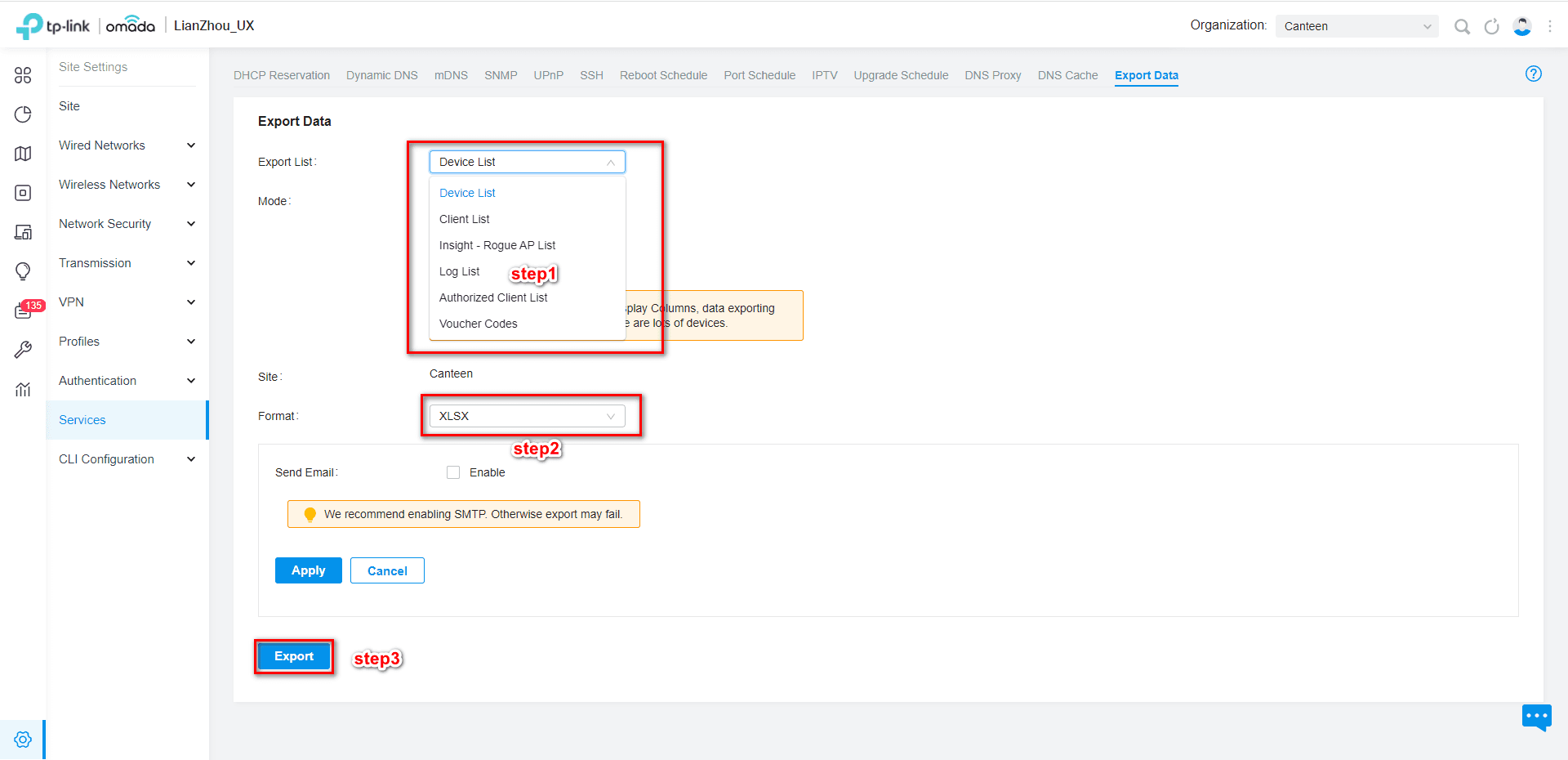
Step 3
On newer Omada Controller versions, use Site Settings > Services > Export Data, select Voucher Codes, choose CSV, and export.
The screenshots above are from TP-Link/Omada support material. Use these links when your controller UI labels differ slightly by version.